trade_script
iPhone & iPad

Just a black
keyboard.

iOS keyboards are grey. Grey keys, grey letters, low contrast. This one is black with white letters. Regular or bold, normal or large, and nothing else. Same layout, same keys, same everything you already know where it is.
Coming to the App Store See the contrast
No keystroke logging No accounts No ads
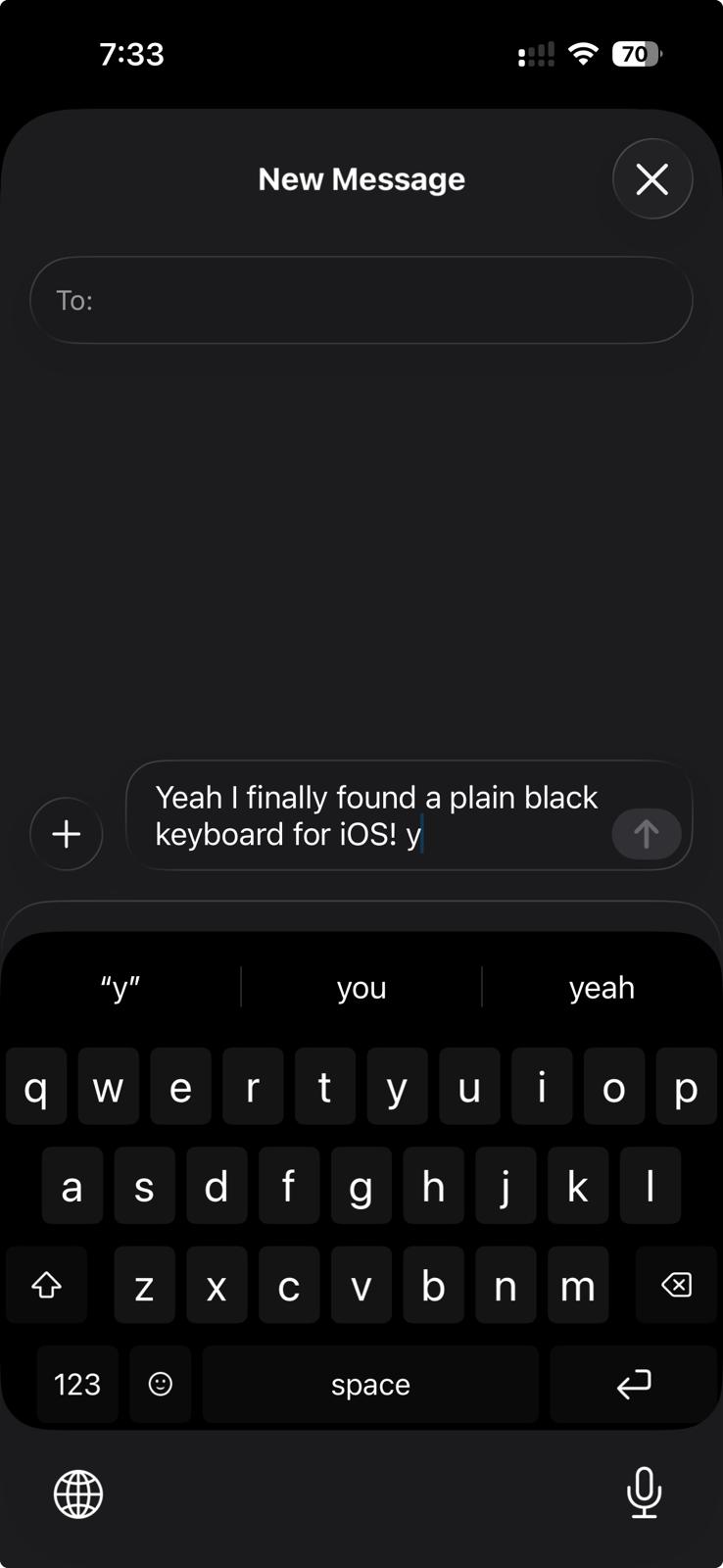
Black Keyboard on an iPhone in Messages: a draft reading Yeah I finally found a plain black keyboard for iOS, above a suggestion strip and a pure black QWERTY keyboard with white letters, an emoji key, a space bar labelled space, and a return key.

An actual screenshot, regular weight. Not a mockup.

Why black

Readability is the whole product.

High contrast

White on true black is the most contrast a screen can render. Grey keycaps with grey letters sit nowhere near it.

Two weights, two sizes

Regular for most eyes, bold for low vision, and a large setting that fills each key with its letter. Both change every key, suggestion and symbol at once.

No OLED glow

On an OLED iPhone a black pixel is a pixel that is switched off. Less light in your face at 2am.

Nothing to relearn

No themes, no GIFs, no sounds, no cloud. The letters, the long-press accents and the emoji panel all sit where you reach for them. Your thumbs already know it.

Side by side

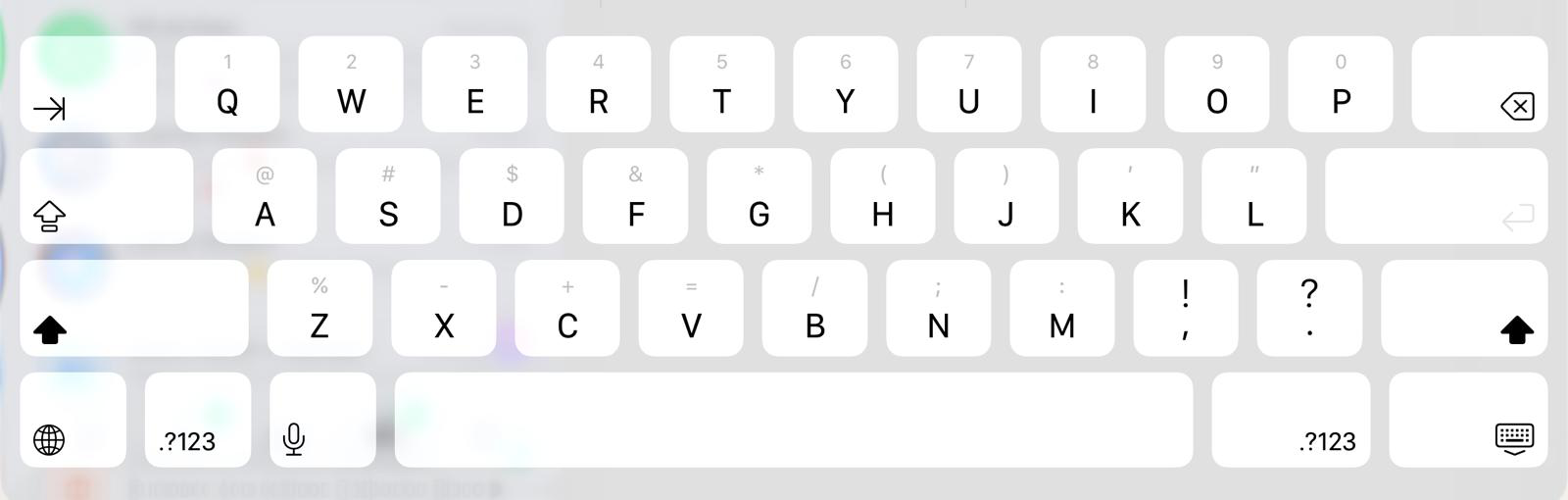
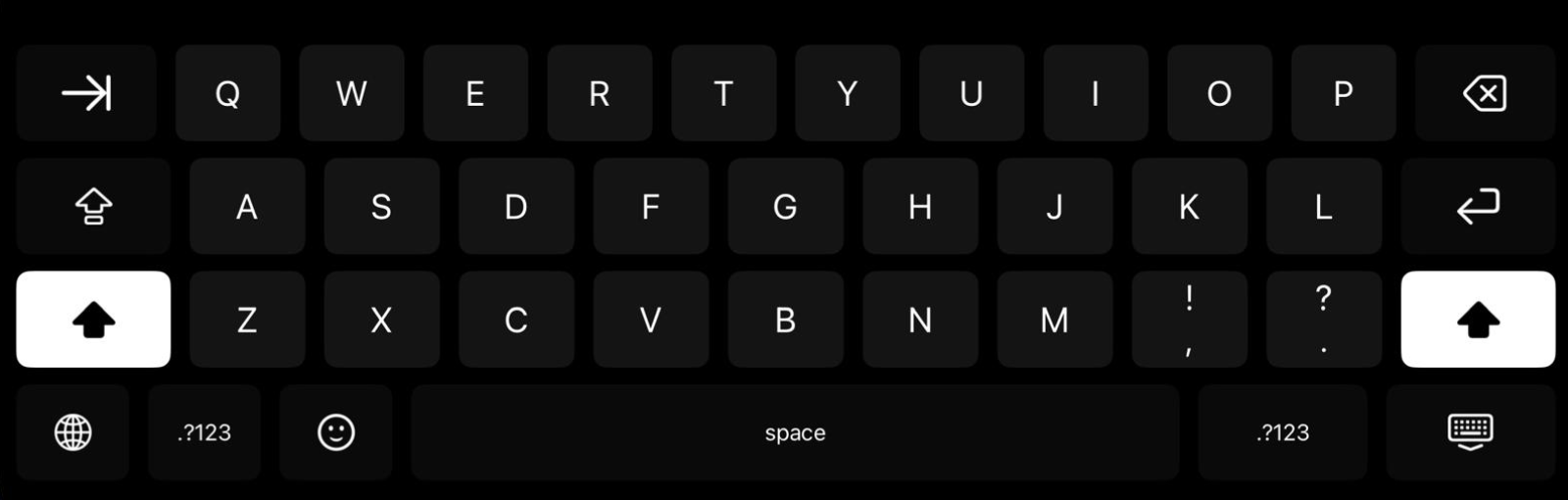
Default grey vs. Black Keyboard.

iOS default
Apple's stock iPad keyboard in landscape, shifted to uppercase: a light grey background with near-white keycaps and dark grey letters, with faint grey secondary numbers and symbols above each key.
Black Keyboard
Black Keyboard on the same iPad in landscape, shifted to uppercase: a pure black background with near-black keycaps and crisp white letters, with both shift keys lit white. The globe key sits in the bottom left corner, and the two keys right of M each carry two glyphs, an exclamation mark over a comma and a question mark over a period.

Both actual screenshots, same iPad, same app.

Install

Three steps, under a minute.

01
Download

Get Black Keyboard from the App Store.

02
Add the keyboard

Settings → General → Keyboard → Keyboards → Add New Keyboard.

03
Set the type

Regular or bold, normal or large. That is all of it.

Questions

The ones worth answering.

Does it log what I type?
No. The keyboard never requests Full Access, has no networking code in it, and stores nothing off your device. Read the privacy policy.
Is there a light version?
No. That is the grey one you already have.
Does it replace my keyboard?
It sits alongside it. Press the globe key to switch, and switch back whenever you like.
What does it need?
iOS 16 or later. Published by The Trade Script, LLC.

Something not working, or a question that is not here? Support.